


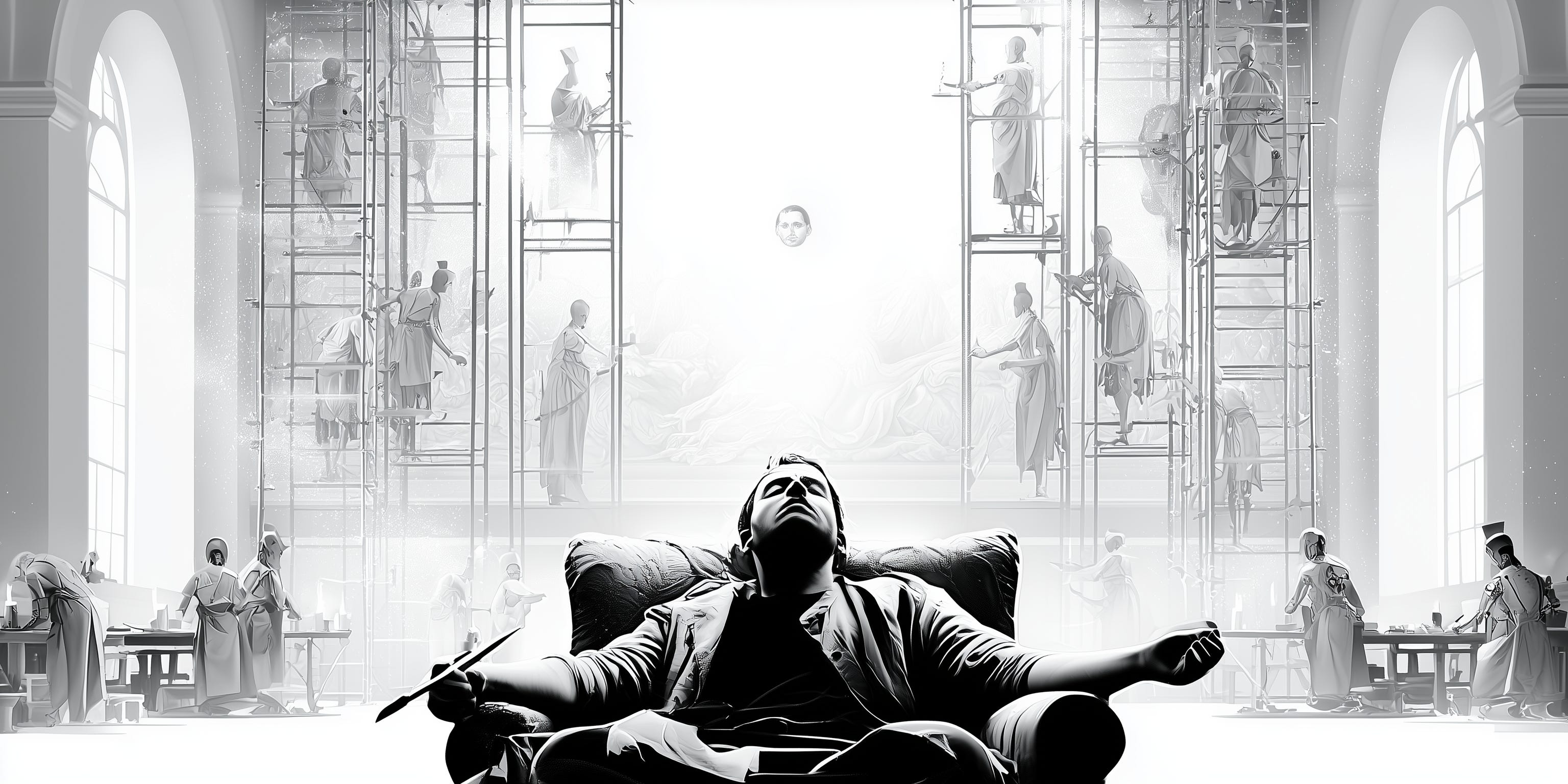
Around 1515, the painting master Raphael was running the largest workshop in Rome, designing more than one man could work on. The Sala di Costantino in the Vatican, one of his masterpieces, was finished after he died by his assistants, working from his designs. The commission and the name of the author held.
Long before corporate stole its meaning, a workshop (or bottega) used to be exactly this: a professional studio where artisans and assistants executed the work under the master’s direction and name.
The master planned and sold the works. Also, painted the faces and the hands, while assistants did the drapery, the backgrounds, and the gold touches.
The workshop was the arrangement that let an individual’s judgment, taste and expertise govern more work than one person’s hands could reach.
That mental framework is now the best mirror I found for working with AI. Long-form writing, thinking, reading: the faces and the hands. Those stay mine.
Much of the rest (drapery and backgrounds) is delegable now to capable agentic systems. In this summer series, four pieces will describe my current agentic studio. The stack that helps me delegate work to AI effectively.
Welcome to the Workshop Series.
The journey and the principles
I work ON AI. The team I lead designs and builds custom agents inside banks, fintechs, payment processors, and merchants across Europe. On my own time, I build stuff to find the cutting edge and places where the technology goes.
Naturally, we work WITH AI too, and through the last three years I tried and extensively tested most of what was launched: the lab apps (ChatGPT, Claude, Gemini, Grok), the answer engines (Perplexity, Copilot), the coding agents (Claude Code, Codex, Cursor, Windsurf), and the hyped harnesses of each season (OpenClaw, Hermes)
With those, a sediment of plugins, MCPs, CLIs, APIs, skills and prompt sets that have been appearing, stalling and disappearing.
Many weekend hours were spent on building setups around all this. Most of which have been dismantled, alongside the sophisticated workflows they powered.
This seems to be a pattern in the way some internet power users use AI: see an impressive demo and decide to reorganize your workflows around it. Then, it consumes more time than it saves or the thing hasn’t been touched at all. The novelty doesn’t bring actual usefulness to it. They were built for a different person
After all those hours invested in building and retiring setups, I now came to what I believe to be the sweet spot in terms of my personal and professional AI stack. A setup built around a few organising practical principles instead of depending on the launch of the week. A list of rules that matter more than any tool:
Always-on. Multiple agents can take long-running and overnight tasks without a domestic laptop lid or computer halt deciding their fate. A secure environment to which direct work 24/7.
Accessible everywhere (and synced). The same agents reachable from every device and form factor I use: an IDE at the desk, a terminal on a phone, a native app in an airport queue.
Composable. Using the principles of the division of labor, the plain models shouldn’t be responsible for everything. Skills, plugins, MCP servers, CLIs, subagents, even models from other labs, curated once and available to every agent.
Portable. The whole arrangement owned by me, customizable and movable. The library of documentation, files and long-term memory too. If I switch to Codex or Hermes tomorrow, tall these should come along with minimum effort.
Robust. The setup had to be secure, have a great uptime, prevent any leakage and provide absolute isolation of profiles. It also needs to be controllable (tasks done with or by an agent should be traceable, recoverable, and monitored) and upgradeable (both the environment and the agents’ models should evolve with the frontier
Five Layers
The setup those rules ended up generating has five layers. Again, five.
Each can map to a part of the old workshop, and each gets its own deep dive in the coming weeks: rationale first, tooling second, because the principles might survive the year and the software most likely won’t.
1. Models & agents
The master’s assistants.
After much trying, the seat at the center belongs to Claude Code, on both sides of my life, because I came to conclude that it has all what Openclaw promised, but better.
Professionally, it runs contained, on enterprise infrastructure, touching only the files and actions it’s permissioned for. Personally, it lives on an always-on server with wide access, bypass permissions, scheduled jobs and room for experiments. Same tool, two profiles.
Everything the hyped harnesses promised, an assistant that actually does things with files, shells, long-held memory, browsers and schedules, is actually available in a native tool that has been catered to developers.
Claude Code also provides a very wide and deep set of multi-agent primitives. From ad-hoc workflows that spin up a set of agents adapted to a specific ask to custom definitions that allow the creation of specialist agents for repeatable work to teams of agents.
Codex is a genuinely great alternative, and the GPT-5.6 family made it better; I stay for Anthropic’s release rhythm and the tool’s professional-ish behaviour.
For now. The setup would deliberately survive the change.
2. Custom harness
The workshop’s bench.
In What is an AI agent, anyway, I argued that everything around the model that isn’t the model is the harness: the tools, the memory, the permissions, the loop. So, Claude Code is by definition a capable out of the box.
The interesting work starts when you treat it as the baseline to build on rather than a product to accept.
Mine lives on a portable repository: rules, skills, plugins, agents, hooks, MCPs, CLIs, reference and configuration files. Versioned and installed on different machines by one script.
Anything that proves useful for a professional project (a documentation skill, a review workflow) is probably useful for professional work the next day, because both profiles draw from the same bench.
This layer is the richest of the series, and it goes first.
3. Environment
In the professional set, an enterprise-grade and isolated environment. Locally on my corporate device. In my personal setup, my agents live on a small virtual private server that can grow with the demands.
Pieter Levels has been loud about this pattern, agents belong on a remote VPS rather than your laptop, and he’s right for many reasons: security, access, speed, reliability and upgradeability among others.
Some mornings I open a terminal (on my iPhone with Termius) over coffee and find the night’s work filed: a research sweep completed, a small app live, a draft for a model delivered for my review.
Raphael died and the Sala got painted anyway. I sleep, and the drapery gets done (get over the lack of modesty please :)).
4. Vault
The workshop’s library.
Renaissance workshops kept model books: drawings, patterns and studies that assistants consulted so the work stayed coherent across many hands. My version is an Obsidian vault, 2,400 notes and counting, synced across every device I own. The agents treat it as a library in the strict sense: consulted on demand, never loaded wholesale.
Inside it sits a dedicated workspace that functions as the shared desk between me and the machines. Briefs go in, drafts come out, context accumulates. Long-term memory lives here too, which means it survives any individual tool. The library is built to outlast the bench.
This last bit, inspired by Ruben Hassid’s work with some modifications and adaptations that make it more durable and robust for me.
5. Everything else
All workshops, modern or ancient, have a wall of small tools that didn’t make it into history books. This one is no different, but I will document it.
Mine holds VS Code (the IDE on both profiles), Termius (a terminal on an iPhone, a strange thing to love), Tailscale (the private network that makes the studio reachable to me and invisible to everyone else), Monologue for dictation, because agents thrive on detail and speaking produces far more of it than typing, and Microsoft Copilot at work (much improved with the GPT-5.6 models; in my view still an agentic generation behind).
The wall is secondary by definition but very important in practice. it sets whether the setup is pleasant to use, which sets whether it gets used.
The agentic setup walkthrough would be incomplete if I did not mention the software and tools that make the experience of interacting with it fast, easy and always-on.
Up next
I am aware that a setup with this many named layers sounds like productivity theater.
I would say it is minimalistic. Only what has survived three years of testing, setting up, making mistakes and dismantling
In any case, I keep an eye out for opportunities to keep simplifying. More focus on removing than in adding.
Today, this is my map: the assistants, bench, buildings, library and tool wall. Four deep dives follow, one layer at a time, each one opening the hood on the principles and the specifics.
Next week, the bench: the portable configuration that makes any machine with Claude Code mine within 5 minutes. The rules, skills, plugins and others that turned a coding tool into a general workshop.
Before this starts, one question for you. Do you do everything one chat window and no scaffolding at a time, or do you run a workshop of your own? Reply or leave a comment with your setup; I’m as interested in what you’ve dismantled as in what survived.