


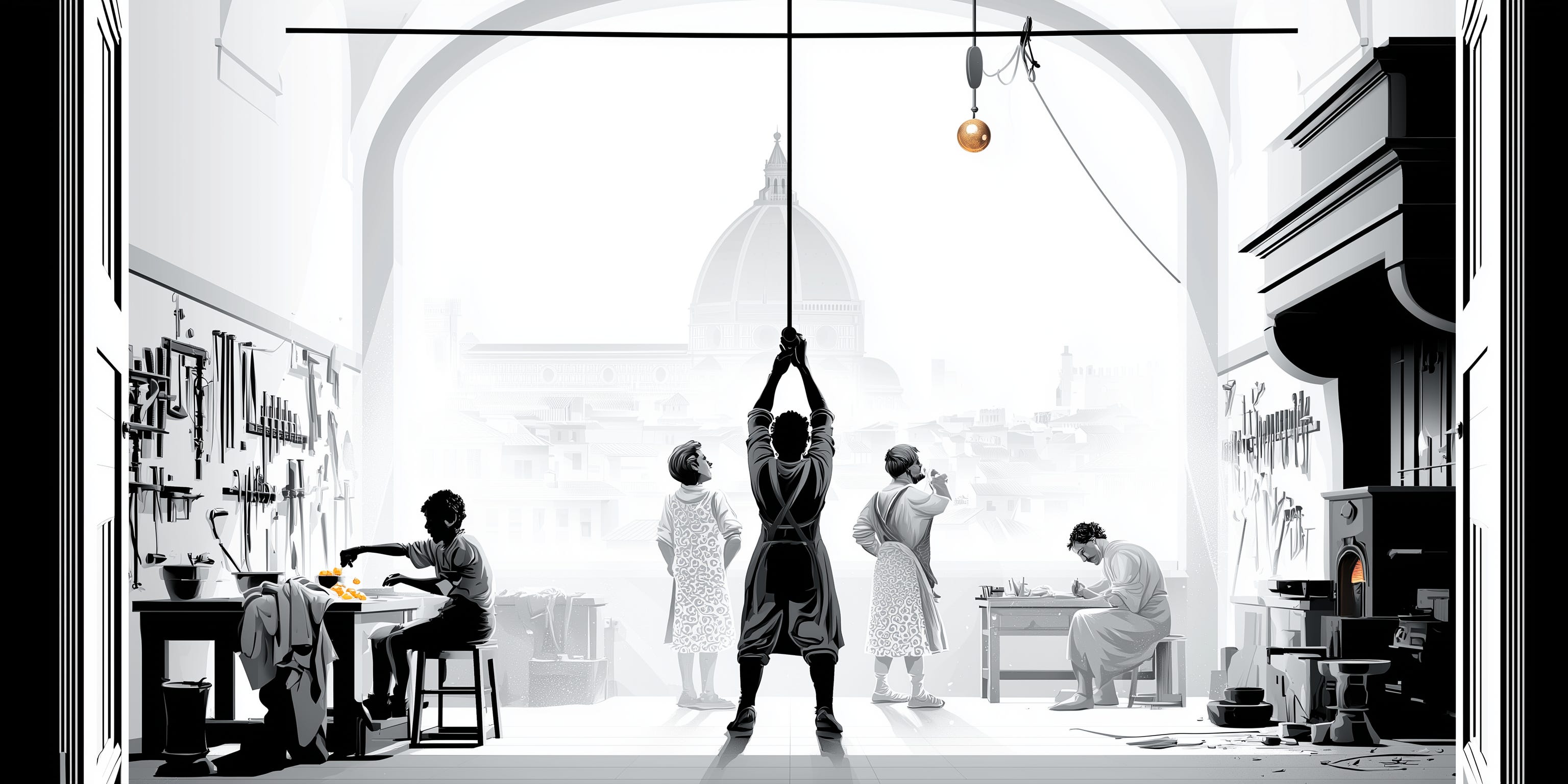
On a regular morning around 1471, Andrea del Verrocchio pushed open the door of his workshop in Florence with the low morning light coming in through the dusty windows. The smells came at him: workbench wood. Linseed oil. Hot glue, sawdust, and the cold ash of a furnace that had gone out overnight.
His artisans were already at it. A boy was separating egg yolks to mix paint. Two more stood with their hands behind their backs, arguing about how to hoist a gilded copper ball onto the cathedral dome. In a corner, a nineteen-year-old was finishing a small kneeling angel the master had handed him the way you hand off a chore. Leonardo was his first name.
That shop, somewhere near what is now Via Ghibellina, is where the work happened. A building with a furnace, a bench, and enough room for eight people to be busy at once.
Today, while the scene may not be as evocative and your (digital) assistants don’t yet have the genius of da Vinci, the metaphor still holds. Your agents need their place. To read, write, install, break things and keep going while you sleep.
And, unlik Verrocchio’s apprentices, they can work there around the clock, and you can reach them from anywhere.
Welcome to The Workshop Series, Part 2.
1. The agents’ building
My agentic bottega is a small Hetzner virtual private server: four vCPUs, 8 GB, 80 GB of disk, headless Ubuntu, running for about 100 days now nonstop, a little under €13 a month (including backups).
Agents are very good at the command line, and a Unix-based system is mostly config files and CLI tools, which is also the cheapest interface in tokens. So I gave it Linux.
Its timers start firing at 8 AM, so most mornings a couple of emails are already waiting in my inbox with a brief on what happened through the night and the latest developments in AI.
I can then kick off the creation of an MVP for a new idea in the desktop terminal, asking a Fable agent to work through the plan. Later in the day, I review the plan on my phone using the Claude app, while on a coffee break, and instruct it to go ahead using a squad of subagents.
That night, a quick review of the implementation report in the iPad’s Termius app, to test it on my laptop again the next morning.
That is the kind of workflow the Mac mini buying frenzy was trying to accomplish by putting Openclaw on it to run 24/7. It is also what the labs now package into products like ChatGPT Work, Claude Cowork, Cursor Cloud Agents or, most recently, Grok Bot. A managed cloud environment that serves as the agents’ workspace. In essence, their own computer.
I argued last time that the labs’ coding agents were already the better assistant platforms, and that the gap was perception. These products are that recognition, aiming at the regular knowledge-work user.
Agents are only as capable as the environments they run in. […] Not setting up a development environment for your cloud agents is like not giving your engineers a computer. — Cursor, Cloud Agents documentation
While powerful and friendly (certainly much better than the previous chatbot platforms), they have a problem, and it is that they are...managed.
As such, they are someone else’s room. You don’t control the tools your agents can have access to. The installed software and tooling. Also, you don’t have a say in the rented workspace compute or speed. Nor in the session durability (these services usually build a fresh machine per job and discard it) or the full filesystem access.
For that, my choice is to rent my own virtual workshop for agents. You have other options, but mine gives you maximum flexibility and control, at the cost of some initial setup and minimal maintenance.
2. Secured to the external world
Most servers exist to answer other machines’ requests. A good virtual private workshop for agents should not. No website, no served database, no users in. Ideally, no way in from the open internet at all.
To reach it, a device first joins a private Tailscale network made up of my devices only. The server then requires a securely held cryptographic key (no root login, no password authentication) for SSH access.
Also, as an additional layer of security, the firewall rules on the server deny everything except my secure interface. On top of that, specific software blocks repeated failed login attempts.
On my iOS devices, Mosh prevents my connection from dropping when, for example, the network changes.
With this, I can access my house of agents through my laptop (via a terminal or VS Code), my phone (using Termius or an authenticated Claude app session) or my iPad, without ever losing the thread of the work or preventing agents from working in my absence.
Securing a small personal server takes about 20 minutes and should be the first thing you do if you take this route. If you want the details, just drop a message.
3. The machinery that runs while I sleep
A few tweaks separate a machine that’s always on from one that is usually on.
On Linux, anything you start is shut down when you log out. A couple of changes (Restart=always and loginctl enable-linger) turn that off. With them, the job that keeps my Obsidian notes in sync has run for months without stopping once, and the overnight agents keep going.
A combination of crontab and systemd timers runs scheduled workflows automatically, with specific settings that make them even more reliable:
If the machine was off when a job was due, the job runs once when it comes back, instead of silently skipping the day.
Each job holds a lock while it runs, so a slow one can never be overlapped by the next one starting (this is optional if your machine is powerful enough).
They all run at low priority, so they get out of the way of whatever I’m doing.
Finally, Claude Code runs a supervisor that refreshes the subscription token automatically. The agent’s credentials time out every few hours, which is the usual way an unattended machine quietly dies overnight. This renews them for me and keeps the digital assistants running.
4. Which agent is waiting for me?
Once you start to get comfortable with the terminal, you will come across different TUIs (Terminal User Interfaces) and tools that make work in them more pleasant and persistent.
To work with agents, Herdr is the gold standard, in my opinion.
Technically, it is a terminal multiplexer. A tool that lets one terminal window hold many independent terminal sessions, and keeps them running when you disconnect. Think tmux redone for the agentic era.
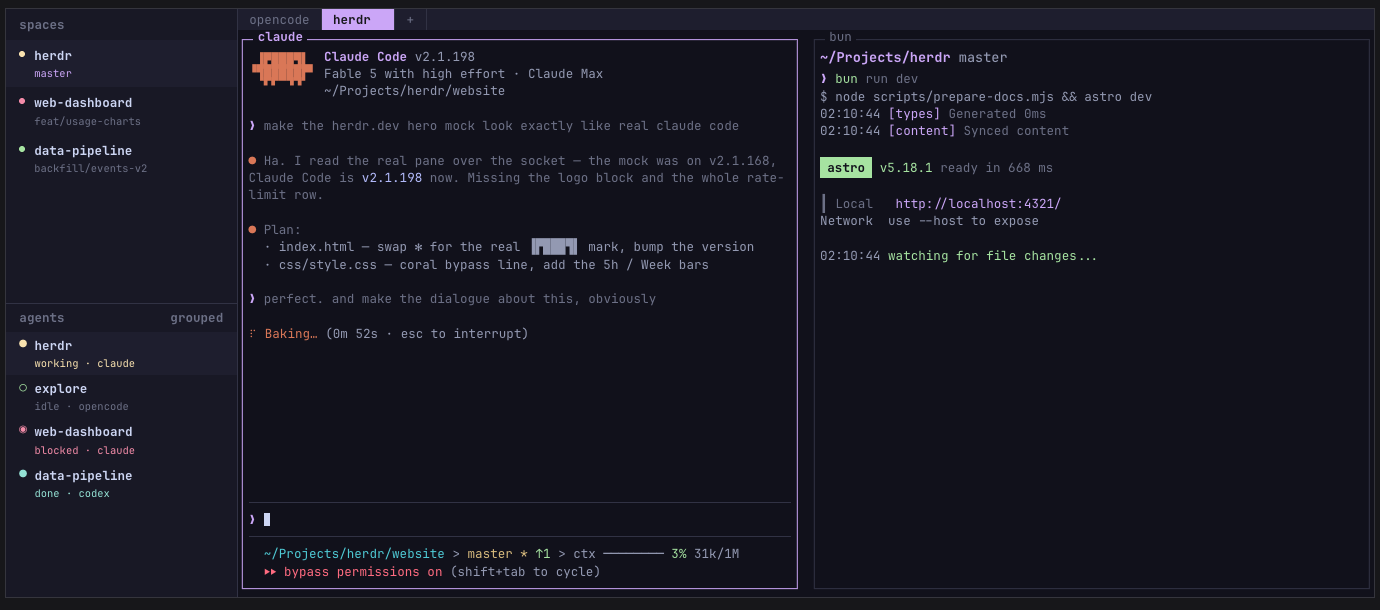
What sets Herdr apart is that, besides giving each agent its own real terminal, it tells you the status of every agent. It classifies each one as blocked, working, done or idle, and shows them in a nice sidebar so you can respond when needed or do parallel work otherwise.
It is also very configurable (you can set multiple panes) and has a growing community behind it, with plenty of plugins to add so it best suits you.
Your agents’ workspace
Your agents belong to and thrive in the cloud.
Getting your own small server to work with AI is not free. It needs setting up, some maintenance (although that can be agentified too) and a small fee. But Verrocchio’s shop was never free either. He paid for that building in charcoal and rent so his artisans could work efficiently.
The truth is that the labs will rent you the alternative, competently and with no maintenance. But at the cost of less control, flexibility and portability. It is a trade-off to consider.
I prefer to hold the deed and the control.
Next in the series: the library, the vault of 2,455 docs that my agents treat as their model books and guides.
Until then, reply or comment with your answer: what happens to your agents when you close the laptop lid?